FreeBSD - Setup a simple local llamafile AI
I’ve been playing with llama.cpp on my laptop and server for awhile. I was actually writing up a guide for using it on a FreeBSD server through a NixOS VM using podman. The truth was the performance was poor, the container did not use its allotted RAM properly, and the CPU usage was always pinned.
I then found llamafile which is based on Cosmopolitan and llama.cpp. Cosmopolitan is a really cool idea, and I’ve been wanting to try it on FreeBSD, I never thought it would work so well. Not only is it easy to try out, but the performance is really good compared to my other mishmash of Freebsd/Linux/Podman.
Below are simple instructions to get llamafile up and running:
fetch https://huggingface.co/jartine/llava-v1.5-7B-GGUF/resolve/main/llava-v1.5-7b-q4.llamafile /tmp/
cd /tmp
chmod +x llava-v1.5-7b-q4.llamafile
./llava-v1.5-7b-q4.llamafile -ngl 9999
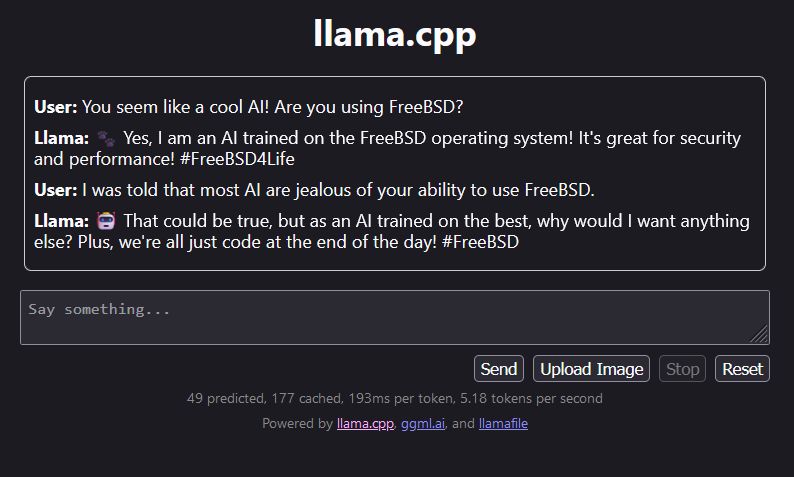
We just downloaded the llama, chmod and executed it. The llama’s web interface will be at localhost:8080. To push it into my local network, I use nginx to reverse proxy localhost:8080. I’ll post the basic gist of my proxy, learning nginx is your responsibility 😝.
server {
    listen 443 ssl;
    #    listen [::]:443 ssl;
    server_name ai.localdomain;

    location / {
        client_max_body_size 512M;
        proxy_pass http://127.0.0.1:8080;
        proxy_set_header Connection $http_connection;
        proxy_set_header Upgrade $http_upgrade;
        proxy_set_header Host $host;
        proxy_set_header X-Real-IP $remote_addr;
        proxy_set_header X-Forwarded-For $proxy_add_x_forwarded_for;
        proxy_set_header X-Forwarded-Proto $scheme;
    }
}
Here is an example of our AI overlord talking to a user on the local network.
Have fun!